

Read your NOUN course material, and ask it questions
The new nounstudy turns your NOUN course material into something you can read on your phone, mark up, and ask questions about, with every answer pointing back to the page it came from.
nounstudy Team
The nounstudy team consists of educational technology experts, former NOUN students, and academic professionals dedicated to helping students succeed in their distance learning journey.
On this page
Some months ago we announced that AI chat was coming to nounstudy. The idea was simple enough. Open your course, ask what a paragraph actually means, get an answer back.
The course material is where it got hard. NOUN publishes it as PDFs, and a PDF is a fixed thing. One course can run past four hundred pages in a single file. You can search it, and that is about all you can do with it. You cannot mark it up in a way that is still there next week. You cannot break it into pieces small enough to finish in one sitting. And you cannot hand four hundred pages to an AI and get back an answer that points at a page.
So the chat was never really a chat problem. It was a reading problem. Before anything could answer a question about a course, the course had to stop being a file and start being something you could read, mark and take apart.
That is what we built first.
What the new nounstudy is
nounstudy is a reader for NOUN course material with an AI you can ask about what you are reading. You open your course, read it unit by unit, mark a passage, and ask questions about any part of it. Every answer points back to the page in your own course material that it came from.
Why we rebuilt the material first
We could have handed the PDF to an AI every time you asked a question and hoped for the best. That is the quick way, and it is the reason so many study tools quote you things your book never said.
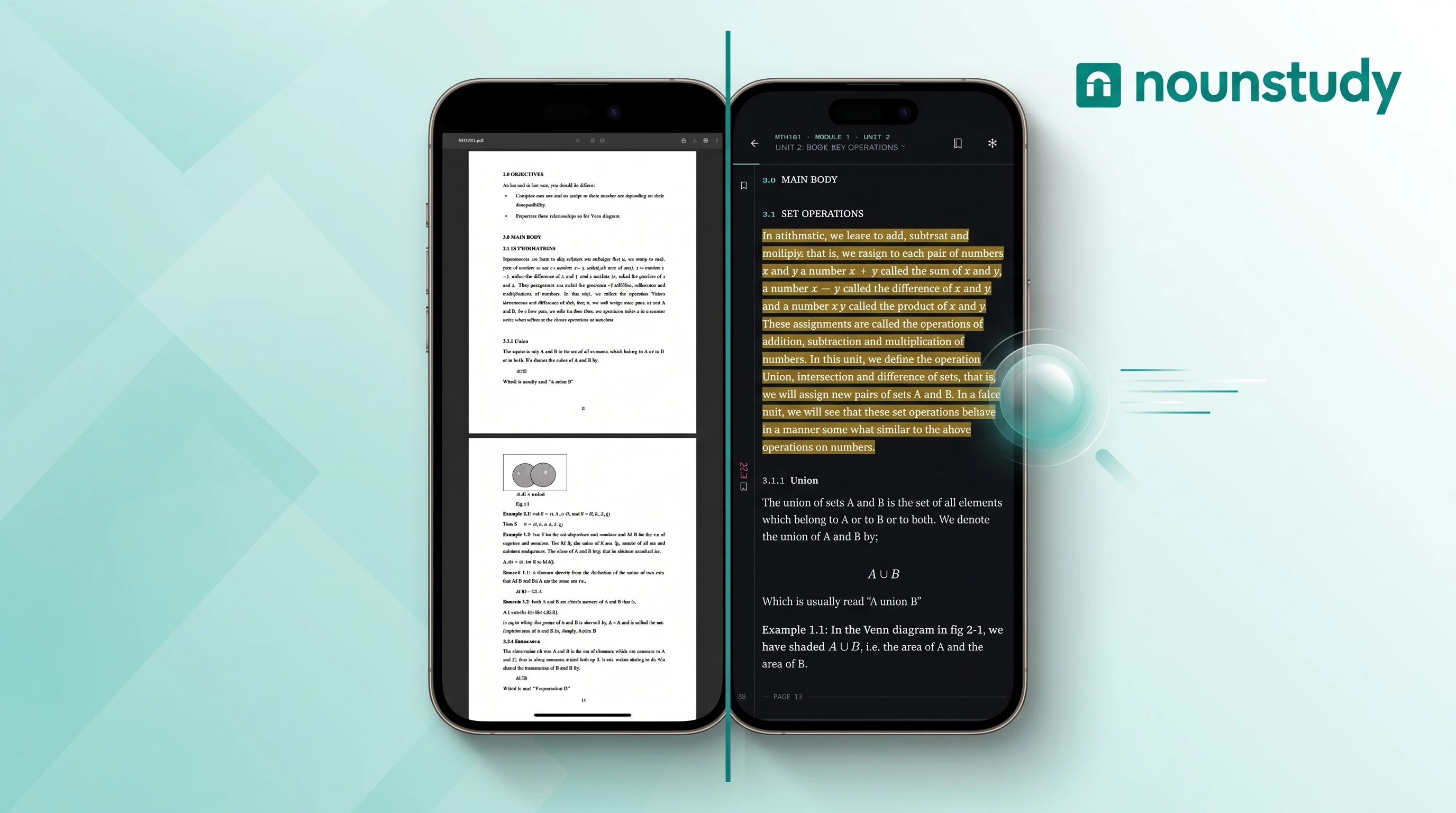
We did the slow thing instead. Every course is read once, page by page, and turned into a proper document. Headings become headings. Tables become tables. Formulas become formulas rather than a jumble of letters and numbers. Figures keep their captions. Then the modules and units your course already has are put back over the top, so what you open is a book, not a file.
It is done once per course, and every student reads the same result. It is also why we can show you where an answer came from instead of asking you to trust us.
Your course, one unit at a time
This is the same material the school gives you. It is arranged as modules and units, so you can open one unit, read it, and stop. The page numbers the book prints stay in the margin, so you always know where you are and can turn straight back to a page you have already passed. Swipe to move to the next unit.
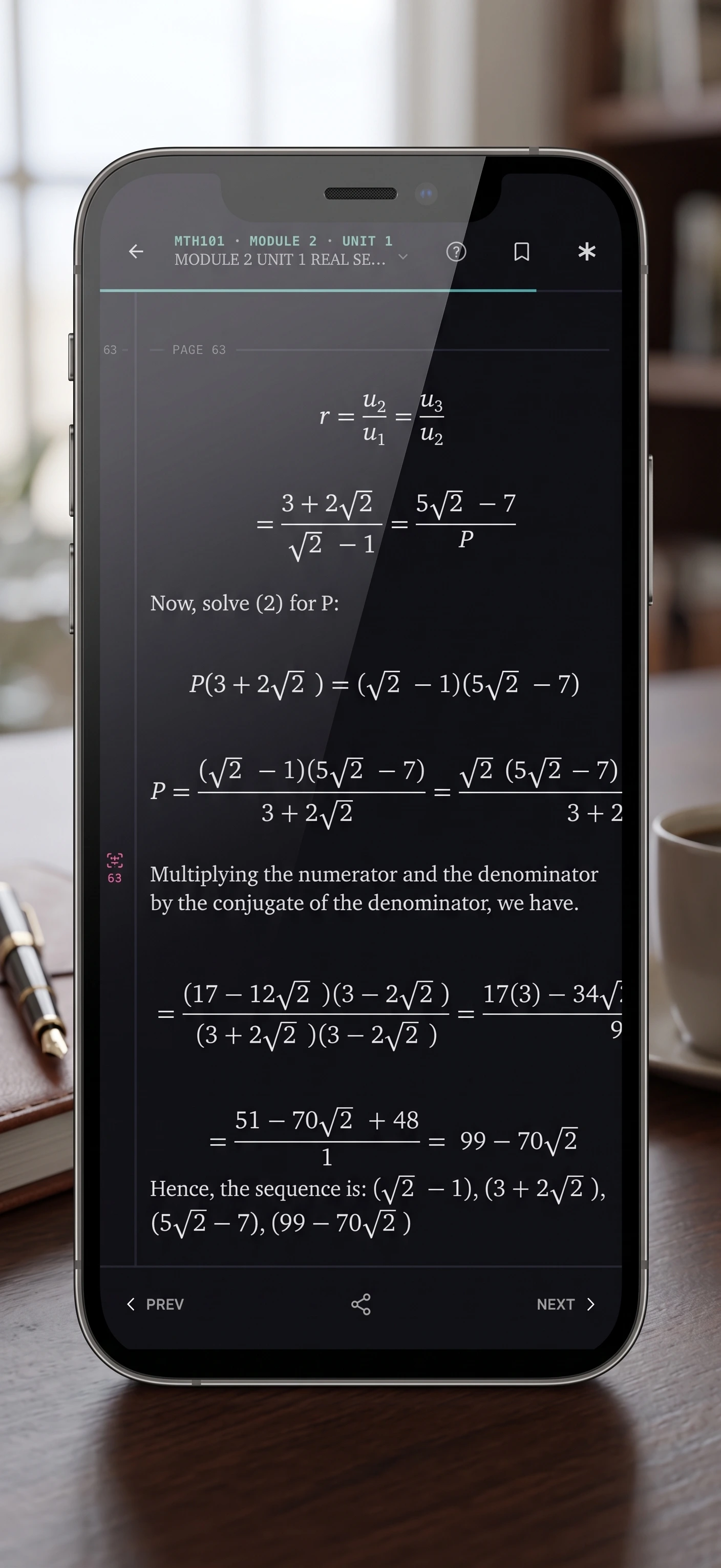
A formula in a PDF comes out as nonsense when a machine reads it left to right. We put the notation back, so what you see is the formula, and so is what the AI reads.
Highlight it, bookmark it, find it next week
Highlight a passage. Bookmark the place you stopped. Tag it, or write yourself a note on it. It is all still there when you open the unit again, so a second reading starts where the first one stopped.
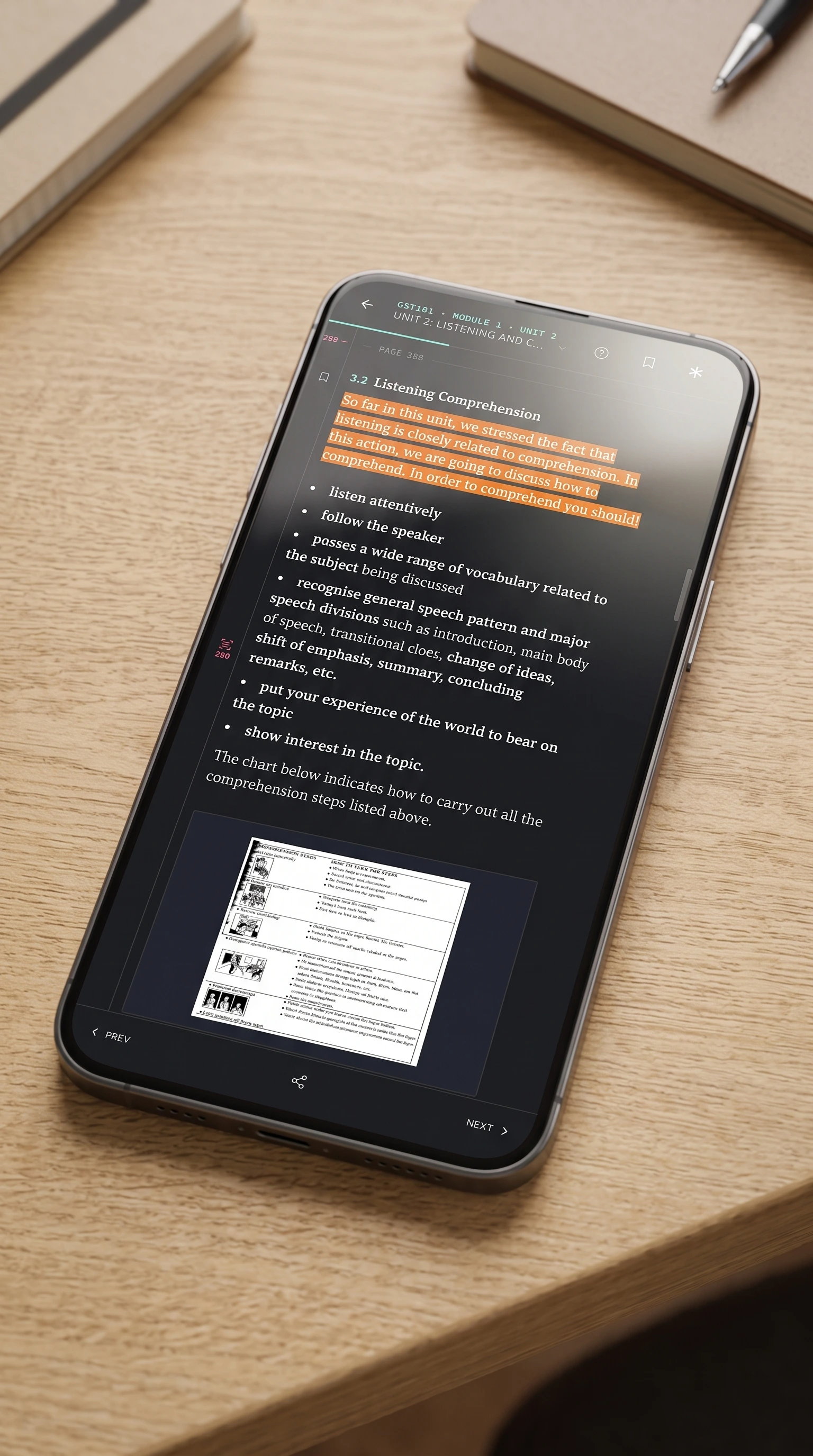
Everything you marked in one course collects into a single list. Tag something as confusing while you are reading and you have a list of exactly what to go back to before a test. If you already have a system for this, our notes on effective note taking still hold. The difference now is that the marks live on the page rather than in a separate book.
Ask about the part that confused you
This is the chat we announced, finally working.
Highlight the sentence you do not understand and ask about it, without leaving the page. You can also ask about a whole unit, about the whole course, or about everything you have marked so far. If you spent the week highlighting as you read, you can ask a question across your own highlights and nothing else.
Every answer shows you where it came from
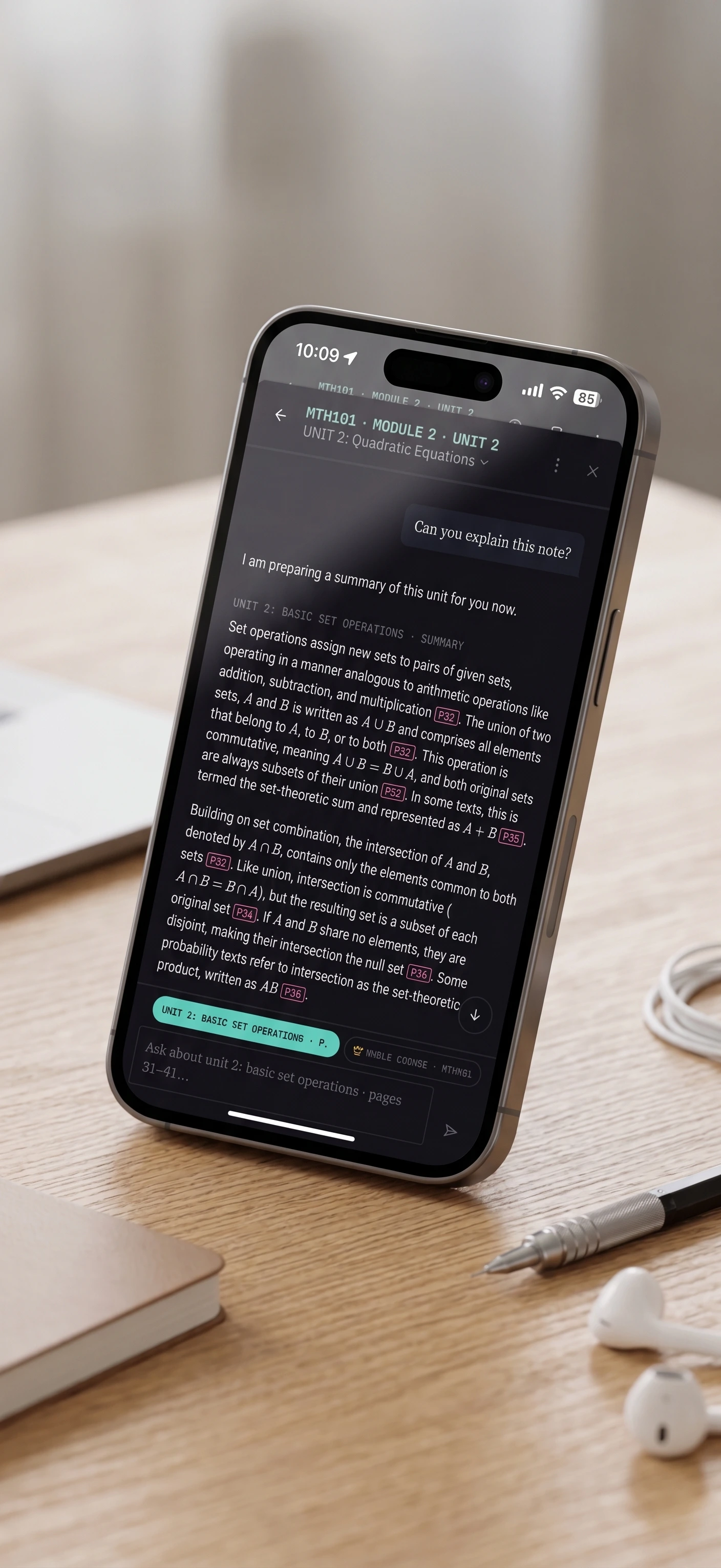
An answer does not carry one vague reference at the bottom. Each claim in it carries its own citation, pointing at the part of the material that claim came from. Three definitions in one answer means three different citations, and tapping any of them takes you to that paragraph on that page.
If you still are not sure, you can go behind us. Open any page and see the original, exactly as it is in the file NOUN published, one tap away. We put that there on purpose. We read some pages imperfectly, and a student who cannot check what they are reading has to take our word for it.
And if we did get a page wrong, flag it right there and we will go and look at it. We would rather you checked us than trusted us.
Ask to be tested on what you just read
Tell the AI you want to practise and it builds a test out of what you have been reading. You say how many questions and how hard before anything starts, so nothing is decided for you. When you are done, ask why you got one wrong and keep going from there.
While a test is open, the AI will not answer questions about it. Your score should tell you what you know.
When a picture explains it better
Some things are easier to see than to read. When an answer would be clearer as a picture, you get one in the conversation, showing how a set of ideas connect or the order that steps happen in. Every part of the drawing points back at the page it came from, the same as the words do.
The short version, when you are short on time
Ask the AI to go over a unit briefly and it writes you the short version, carrying the pages it drew from. Use it to decide which unit to start with, or to go back over one the night before you are tested on it. The pages are there so you can check it rather than take it on trust.
Read it with no data
Download a course while you are on Wi-Fi and read it later with no connection and no airtime. What you highlight offline syncs the next time you are online. nounstudy also installs to your home screen and opens like any other app on your phone.
Idara, for the questions that are not about your course
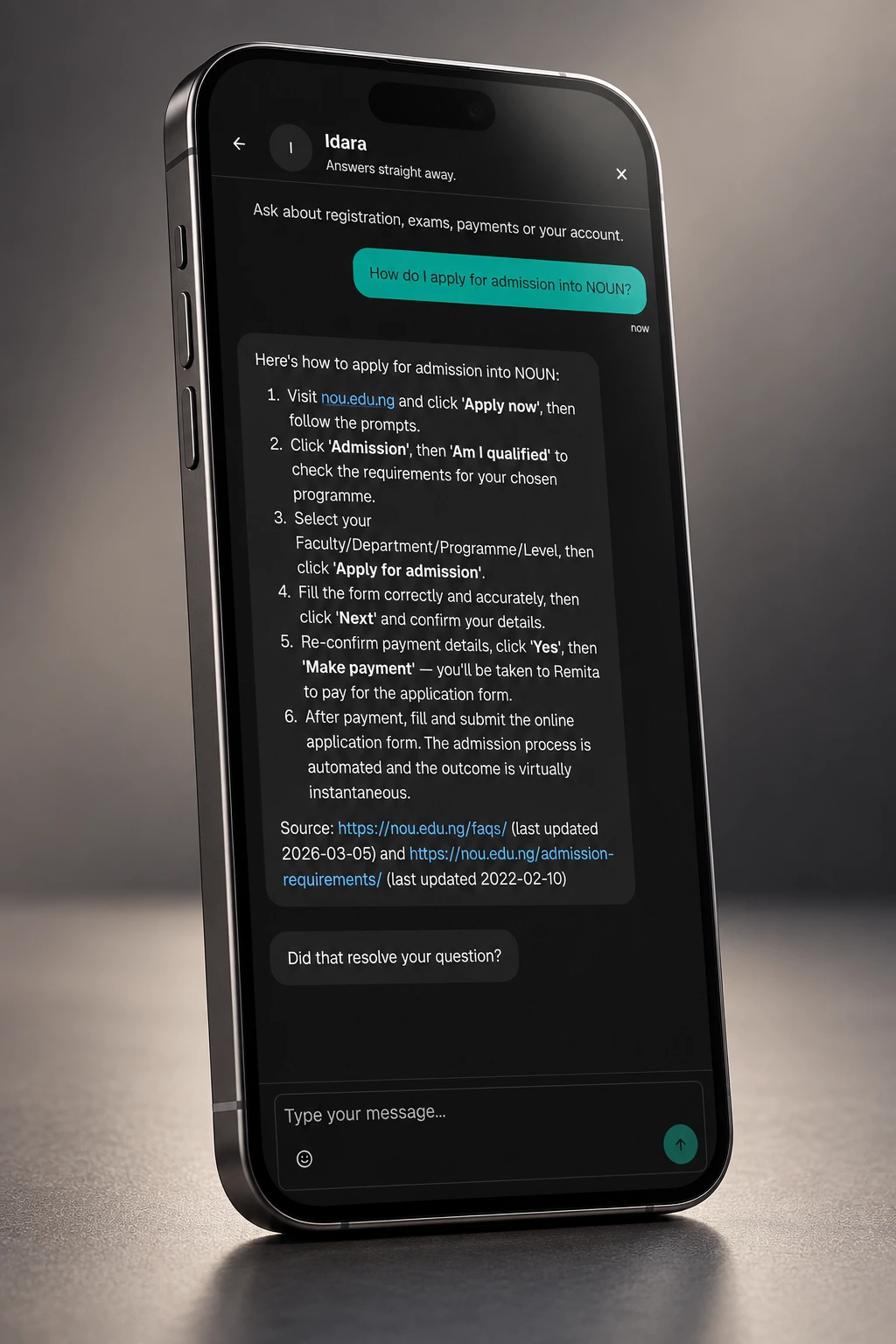
Not every question is about your book. Registration dates, exam rules, what a fee covers. Idara is our AI support assistant, and that is what it answers. It is in your account on every plan, the free one included, at any hour. When it cannot answer something, the conversation reaches a person instead of stopping.
Idara is an Ibibio name. It means joy. We wanted the thing you reach for when something has gone wrong to be named for how you should feel when it is sorted out.
Where your old notes, mindmaps and tests went
Nowhere. They are still yours.
Open any course you used before and you will find them under Archive, exactly as you left them. We are not making new ones. Everything they did, you can now do inside the course itself.
What it costs, and what changed for you
Reading is free on every plan. You never pay to open your course material. What you pay for is the AI, and it comes out of a monthly balance of study credits, so one meter covers asking, testing and summarising instead of three separate limits you have to keep track of.
Three things changed.
If you were paying for one of the old plans, we have refunded you. Every student on an old paid plan has had their money returned and been moved to Fresher, our new free plan. You did not have to ask, and there is nothing for you to do.
The new paid plans cost more than the old ones. They are shaped differently as well, around courses you hold and credits you spend rather than a separate cap on each feature. Every price is on the pricing page, and you can read as much as you like without picking one.
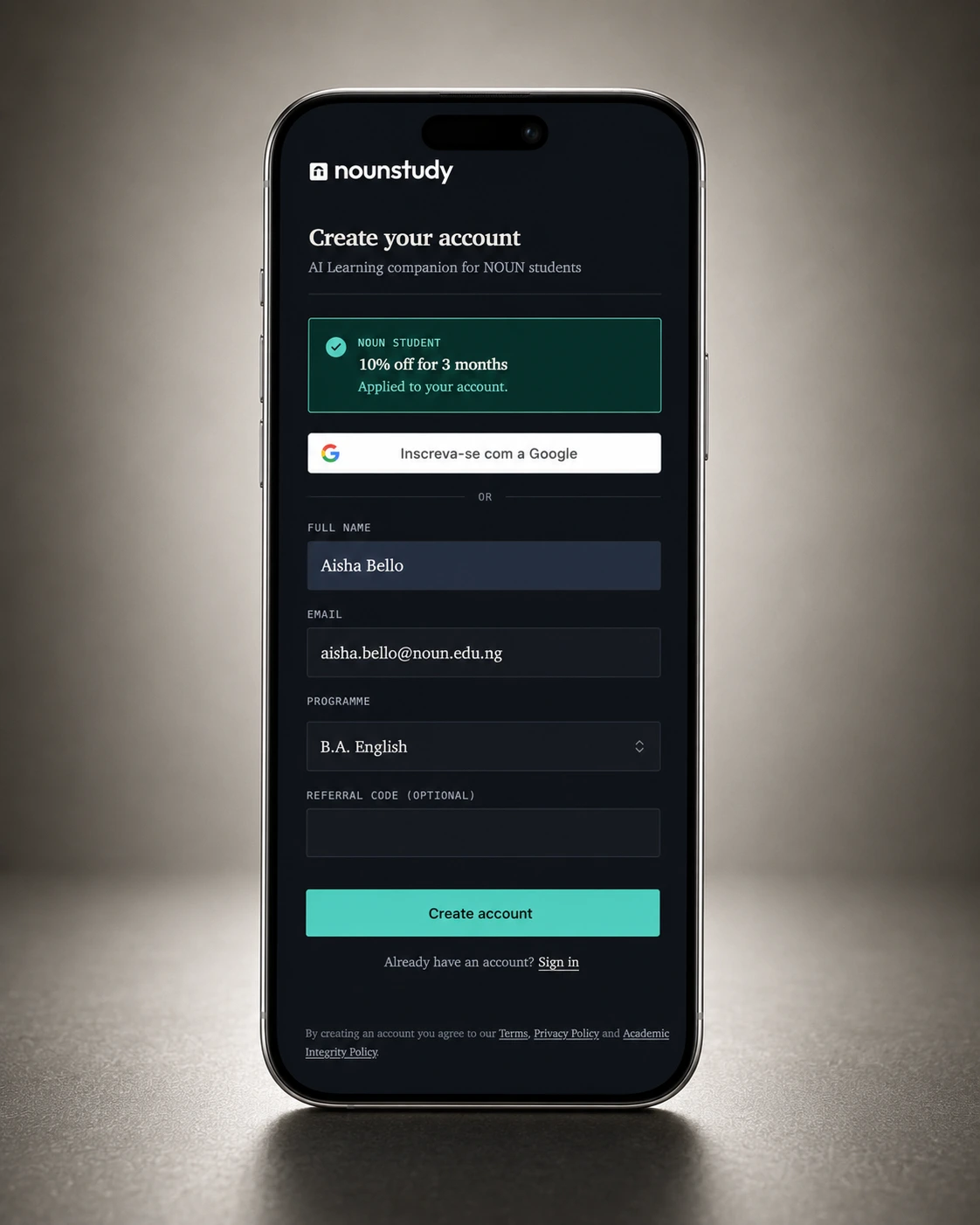
If you have a @noun.edu.ng address, you get 10% off for your first three months. Sign up with it, verify it, and the discount applies on its own. There is no code to type and it stacks on top of anything else you have.
How to start
- Sign in, or create an account with your @noun.edu.ng address if you have one.
- Find your course by its code and add it.
- Open a unit and start reading. Highlight the first thing that confuses you and ask about it.
Find your course. There are 2,577 of them waiting, and there is a fuller walk through everything nounstudy does if you want to look before you sign in.
Questions students are asking
Is nounstudy from NOUN?
No. We are not part of the National Open University of Nigeria and we are not affiliated with them. We read the course material NOUN publishes, the same material you are given, and we built our own tools around it.
How many courses can I read?
2,577 courses are readable today. If yours is not one of them yet, tell us and we will get to it.
Do I need data to use it?
You need a connection the first time you open a course. On a paid plan you can download a course while you have Wi-Fi and read it afterwards with no connection and no airtime. What you highlight offline syncs the next time you are online.
Is it free?
Reading is free on every plan. Our free plan, Fresher, gives you two courses and forty study credits a month, which is enough to try everything. Credits pay for the AI, never for the book.
Does the AI make things up?
It answers from your course material and shows you which part of it each answer came from. Tap a citation and you land on that paragraph. If your material does not cover something, it says so rather than filling the gap.
What if a page looks wrong?
Open the original page from the reader and see it for yourself, exactly as it is in the file NOUN published. If we got the page wrong, flag it there and we will go and look at it.
Where are my old notes, mindmaps and tests?
They are still yours. Open the course and you will find them under Archive, exactly as you left them.
I was paying for the old plans. What happened to my money?
We refunded it. Everyone who was on one of the old paid plans has been refunded and moved to Fresher, our new free plan. You did not need to ask and you do not need to do anything.
Did the price go up?
Yes. The new paid plans cost more than the old ones, and they are shaped differently, around the courses you hold and the credits you spend rather than a cap on each feature. Reading itself is free on every plan, so you can use nounstudy without paying anything.
How do I get the NOUN student discount?
Sign up with your @noun.edu.ng address and verify it. You get 10% off for your first three months, applied on its own. There is no code to type.